How to Monitor Facebook Groups for Leads in 2026 (Complete Guide)
Learn how to monitor Facebook groups for leads with keyword alerts, buyer intent scoring, and peer-like replies. A complete 2026 guide for agencies and freelancers.
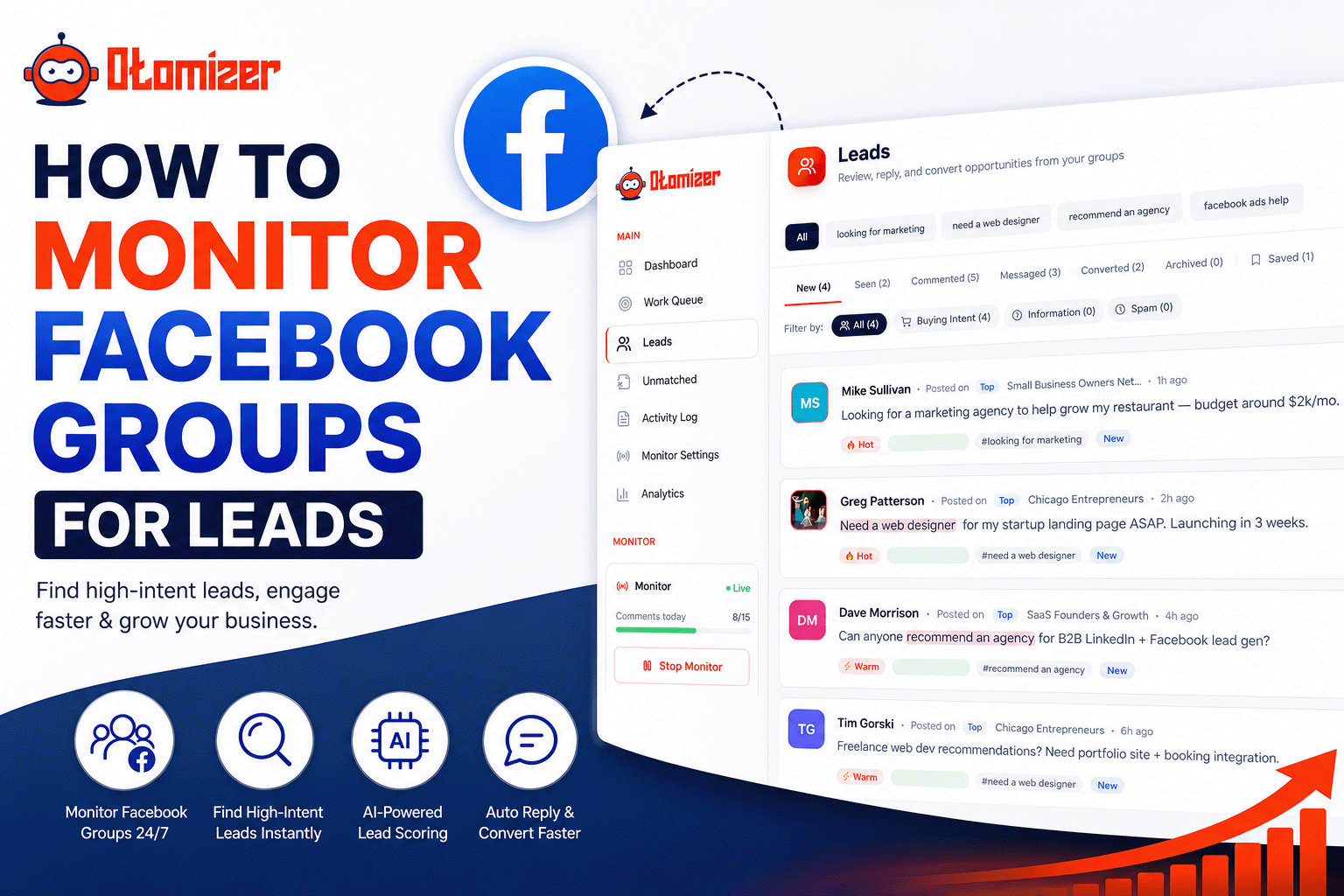
Key takeaways
- 01 Facebook groups are one of the highest-intent organic lead channels because people post when they need help, not when they want to be sold to.
- 02 Manual monitoring breaks down past 5 to 10 active groups. Keyword alerts and intent scoring are what make monitoring scale.
- 03 Hot / Warm / Cold scoring filters out noise so you only engage posts with real buyer intent.
- 04 The best monitoring setup combines continuous group watching, negative keywords, and peer-like replies that sound like you wrote them.
- 05 Tools like Otomizer monitor inside Facebook as a logged-in user, which is safer and more reliable than external workarounds.
Every week, thousands of people post in Facebook groups asking for recommendations. “Anyone know a good web designer?” “Looking for help with Facebook ads.” “Who do you use for bookkeeping?”
These are not cold leads. They raised their hand in public. The problem is timing: by the time you scroll past that post, three other people already replied.
That is why monitoring Facebook groups for leads matters. Not checking groups when you remember, but actually watching them continuously, filtering for buyer intent, and showing up first with a helpful reply.
This guide covers everything: why groups work as a lead channel, manual vs automated monitoring, keyword strategy, intent scoring, reply best practices, and how to choose the right tool.
Why are Facebook groups a strong lead generation channel?
Facebook groups concentrate buying intent in one place. Unlike your personal feed, which Facebook algorithmically curates, group feeds are chronological-ish and topic-focused. When someone posts “looking for a marketing agency that specializes in e-commerce,” that is a qualified inbound lead hiding in plain sight.
Groups work because:
- People ask before they buy. Recommendation threads are pre-qualification. The poster already decided they need help.
- Trust is built in. Group members vouch for each other. A helpful reply in the thread puts you on someone’s shortlist before a DM ever happens.
- Niche communities exist for everything. Whether you are a freelance copywriter, HVAC contractor, or SaaS founder, there are groups where your ideal clients already gather.
- It is organic. No ad spend, no cold email, no LinkedIn connection requests from strangers.
The catch: groups only work if you are fast and relevant. Manual scrolling through 15 groups twice a day is not fast enough.
This is also part of a bigger shift. Community knowledge and buying conversations are moving from platforms like Reddit into Facebook Groups. We unpack why in Facebook Groups are the new Reddit.
What is the difference between manual and automated group monitoring?
Manual monitoring means opening each group, scrolling the feed, and looking for “looking for” posts. It is free and requires no tools. It also does not scale.
| Approach | Pros | Cons |
|---|---|---|
| Manual scrolling | Free, full control | Slow, easy to miss posts, does not scale past ~5 groups |
| Keyword alerts (email/push) | Faster than manual, low cost | Alert-only, you still write every reply yourself |
| Continuous monitoring + AI scoring | Catches posts in minutes, filters by intent | Requires a tool; needs thoughtful setup |
| Full autopilot with guardrails | Replies while you sleep | Needs safety limits and voice tuning |
Most practitioners start manual, hit a wall around 8 to 10 groups, then move to a monitoring tool. The shift usually happens when someone realizes they missed a hot lead that posted at 11 PM on a Tuesday.
How do you set up keyword monitoring in Facebook groups?
Keywords are the filter between signal and noise. Without them, you drown in memes, job posts, and off-topic threads.
Positive keywords (what you want to catch)
Start with phrases that signal buying intent:
- “looking for”
- “anyone recommend”
- “need help with”
- “who do you use for”
- “suggestions for”
- “hiring” (if you want job-related leads, though many freelancers skip this)
- Industry terms: “Facebook ads,” “web design,” “bookkeeper,” “business coach”
Add two or three keywords specific to your niche. A local realtor might track “moving to [city]” or “best neighborhoods in [area].” A SaaS founder might track “alternative to [competitor]” in founder groups.
Negative keywords (what you want to skip)
Negative keywords save hours of wasted replies:
- “hiring remote” (if you want clients, not jobs)
- “giveaway”
- “free course”
- “MLM” or “network marketing”
- Competitor names you do not want to engage with
How many keywords is enough?
Start with 10 to 15 positive keywords and 5 to 8 negative keywords. Run for a week, review what matched, and refine. Over-tuning on day one leads to missed leads. Under-tuning leads to noise.
Tools like Otomizer let you monitor Facebook groups for keywords directly from the dashboard, then score every matching post by buyer intent, so you see Hot leads first, not just keyword hits.
What is buyer intent scoring and why does it matter?
Keyword matching alone is blunt. A post saying “looking for a good laugh, anyone recommend a funny podcast?” matches “looking for” and “anyone recommend” but has zero buying intent for your web design business.
Buyer intent scoring rates each post on how likely the author is to become a client. Otomizer uses a Hot / Warm / Cold system:
| Score | Label | What it means | Suggested action |
|---|---|---|---|
| 9-10 | Hot | Strong buyer intent: explicit ask, urgency, specific need | Reply with value + soft offer if invited |
| 7-8 | Warm | Moderate intent: exploring options, comparing solutions | Share insight + calibrated follow-up question |
| 5-6 | Cool | Weak signal: might be relevant, might not | Ask a clarifying question only |
| 0-4 | Cold | No buying intent | Skip, do not reply |
Signals that push a post toward Hot: specificity (“need a Shopify developer for a store doing $50K/mo”), urgency (“need this done by Friday”), pain language (“tried three agencies and none worked”), and direct asks (“anyone recommend a good one?”).
This scoring layer is what separates a useful monitoring setup from an inbox full of false positives.
How should you reply to leads found in Facebook groups?
Finding the post is half the job. The reply is where leads convert, or disappear.
Reply like a peer, not a pitch deck
The best group replies follow a simple pattern:
- Acknowledge what they asked for
- Add value with a tip, a resource, or a relevant experience
- Ask a calibrated question if you need more context
- Offer help only if the thread invites it
Example for a “looking for a Facebook ads person” post:
We run ads for e-commerce brands in the $20K to $100K/mo range, happy to share what has worked for similar stores. Are you running retargeting already, or starting from scratch?
Notice: no link, no brand name drop, no “DM me!” Just a helpful peer who happens to know the space.
Speed beats perfection
Data from Otomizer users shows the average time from post to drafted reply is under 90 seconds in Autopilot mode. In recommendation threads, being first with a helpful answer matters more than being clever.
When to use Monitor vs Autopilot
- Monitor mode: Otomizer finds and scores posts, drafts replies, and you approve each one before it posts. Best for week one while you tune your voice.
- Autopilot mode: Matched posts get peer-like replies automatically within your rate limits. Best once you trust the reply quality and have safety settings dialed in.
Start with Monitor. Move to Autopilot at 5 to 10 comments per day once replies consistently sound like you.
Your next 10 clients are already posting in your groups.
Otomizer monitors your Facebook groups 24/7, scores every post Hot / Warm / Cold, and drafts replies in your voice. Live in under 5 minutes.
See plans and pricingHow do Facebook group monitoring tools compare?
Not all tools work the same way. Here is an honest comparison based on what each product actually does:
| Tool | Monitoring method | Reply automation | Intent scoring | Best for |
|---|---|---|---|---|
| Otomizer | Continuous, inside Facebook via Chrome extension | Yes (Monitor + Autopilot) | Hot / Warm / Cold (0 to 10) | Agencies, freelancers, coaches who want full pipeline |
| Devi AI | Scans every ~2 hours, multi-platform | Limited | Basic keyword match | Users who want LinkedIn + Facebook coverage |
| GroupsWatcher | Server-side keyword alerts | No | No | Alert-only workflows |
| Kwatch.io | Keyword alerts via email/Slack | No | No | Simple notification needs |
| Manual scrolling | When you remember | No | Your judgment | 1 to 5 groups, low volume |
Otomizer is Facebook-only on purpose. Groups are where the buying signal is clearest for agencies, freelancers, and local operators. Continuous monitoring inside your logged-in session, not external workarounds, means faster detection and fewer missed posts.
For a detailed feature-by-feature breakdown, see our Otomizer vs Devi AI comparison.
How do you build a monitoring workflow that actually converts?
Here is a practical setup you can run this week:
Step 1: Pick your groups (Day 1)
Join or identify 10 to 20 groups where your ideal clients post. Quality over quantity. One active group with daily “looking for” posts beats ten dead groups.
Look for groups with:
- Daily posting activity
- Recommendation threads (not just link dumps)
- Members who match your ideal client profile
Step 2: Set keywords and voice (Day 1)
Define positive and negative keywords. Choose a persona template that matches how you talk, whether agency owner, freelancer, coach, or local service provider.
Otomizer generates keyword suggestions from your business description during onboarding. Most users go live in under 5 minutes.
Step 3: Run Monitor mode for one week (Days 2 to 8)
Review every drafted reply before it posts. Note which posts scored Hot vs Warm. Adjust keywords based on what you see in the Unmatched queue.
Step 4: Turn on Autopilot with safety limits (Week 2+)
Set a daily comment cap (start at 10), random wait times between comments (3 to 5 minutes), and let the extension handle replies while you focus on closing.
Step 5: Track and refine (Ongoing)
Watch your leads inbox. Which groups produce Hot leads? Which keywords over-match? Double down on what converts and cut what does not.
What results can you expect from monitoring Facebook groups?
Results vary by niche, group activity, and reply quality. Based on data from 800+ businesses using Otomizer:
- Most users see their first scored lead within an hour of going live
- Active users report an average of 18+ hot leads per week
- Average time from post detection to drafted reply: under 90 seconds
- Setup time: under 5 minutes end-to-end
These are not guaranteed outcomes. They are what active users in engaged niches typically see. A freelance designer in three active local business groups will outperform someone monitoring twenty irrelevant communities.
The compounding effect matters most. Week one might produce two warm conversations. Week four, those turn into discovery calls. Month three, group leads become a reliable pipeline channel alongside referrals and content.
Where does Otomizer fit in your monitoring stack?
If you are serious about Facebook group leads, Otomizer handles the full loop:
- Monitor your groups 24/7 via the Chrome extension
- Score every post Hot / Warm / Cold by buyer intent
- Draft peer-like replies through a 4-stage AI pipeline (Decode, Frame, Draft, Critique)
- Post manually in Monitor mode or automatically in Autopilot
The web dashboard at app.otomizer.com is where leads land, sorted by intent, with AI-drafted replies ready for your review or already posted.
Used by 800+ businesses. Live in under 5 minutes. Cancel anytime with a 7-day money-back guarantee.

Stop scrolling. Start closing leads in your voice.
Otomizer monitors your Facebook groups 24/7 and replies like a peer, not a pitch deck.
Get startedCancel anytime · 7-day money-back guarantee
What should you do next?
Start with three actions:
- Audit your groups. List every Facebook group you are in. Mark the ones with daily recommendation threads.
- Write your keyword list. Ten positive, five negative. Test for a week.
- Try continuous monitoring. See Otomizer pricing and go live in under 5 minutes.
Your next clients are already posting in your groups. The only question is whether you see the post first, or your competitor does.
For more tactics on engaging without coming across as salesy, read our guide on how to find clients in Facebook groups. Agency owners should also check the Facebook group lead generation playbook for agencies.
FAQ
Frequently asked questions
01What does it mean to monitor Facebook groups for leads?
02Can you monitor Facebook groups without being a group admin?
03How often should you check Facebook groups for leads?
04Is monitoring Facebook groups safe for your account?
05What keywords should you track in Facebook groups?
06What is the best tool to monitor Facebook groups for leads?
Keep reading